






HR and Operations juggle complex systems daily, from hiring pipelines, organizational restructuring, policy changes, and process automation, so…
HR and Operations departments need to introduce dedicated mind maps because of the fact that people operations and business systems are essentially network-based, not linear. (they function like a complex web where everything is interconnected and changes in one area instantly ripple through the entire organization.)
1. The Psychology of Visual Thinking: Why Our Brains Love Mind Maps
2. What is the best tool for mind mapping?
3. Miro - Best For Team Brainstorming And Collaboration
4. Canva - Best For Visual And Creative Mind Maps
5. Mind Meister - Best For Dedicated Mind Mapping
6. MindMup – Best For Simple And Straightforward Mind Maps
7. Whimsical – Best for organising ideas and processes
8. Can ChatGPT do Mind Maps?
Behind the scenes, HR and Operations teams have a lot to keep track of. From finding the right talent and improving employee retention to solving internal problems and managing new projects, there's always something that needs attention. These tasks often involve different departments, several people and many moving parts.
Yet, many companies still rely on traditional documents, spreadsheets and presentations to organise their ideas and plans, that's where things can get complicated. Important tasks get buried in long to-do lists, teams struggle to stay on the same page, and brainstorming sessions can quickly turn into confusing discussions.
This is where mind maps make a real difference. Instead of organising every idea in a long, linear document, mind maps help teams connect thoughts, identify priorities and see how different tasks relate to each other.
Starting with one central topic, such as improving employee retention or making recruitment processes more efficient, teams can build a clear visual overview of their ideas and plans.
Whether you're preparing a new HR strategy, planning an internal project or looking for ways to improve daily operations, mind maps can help you organise your thoughts and work better as a team.
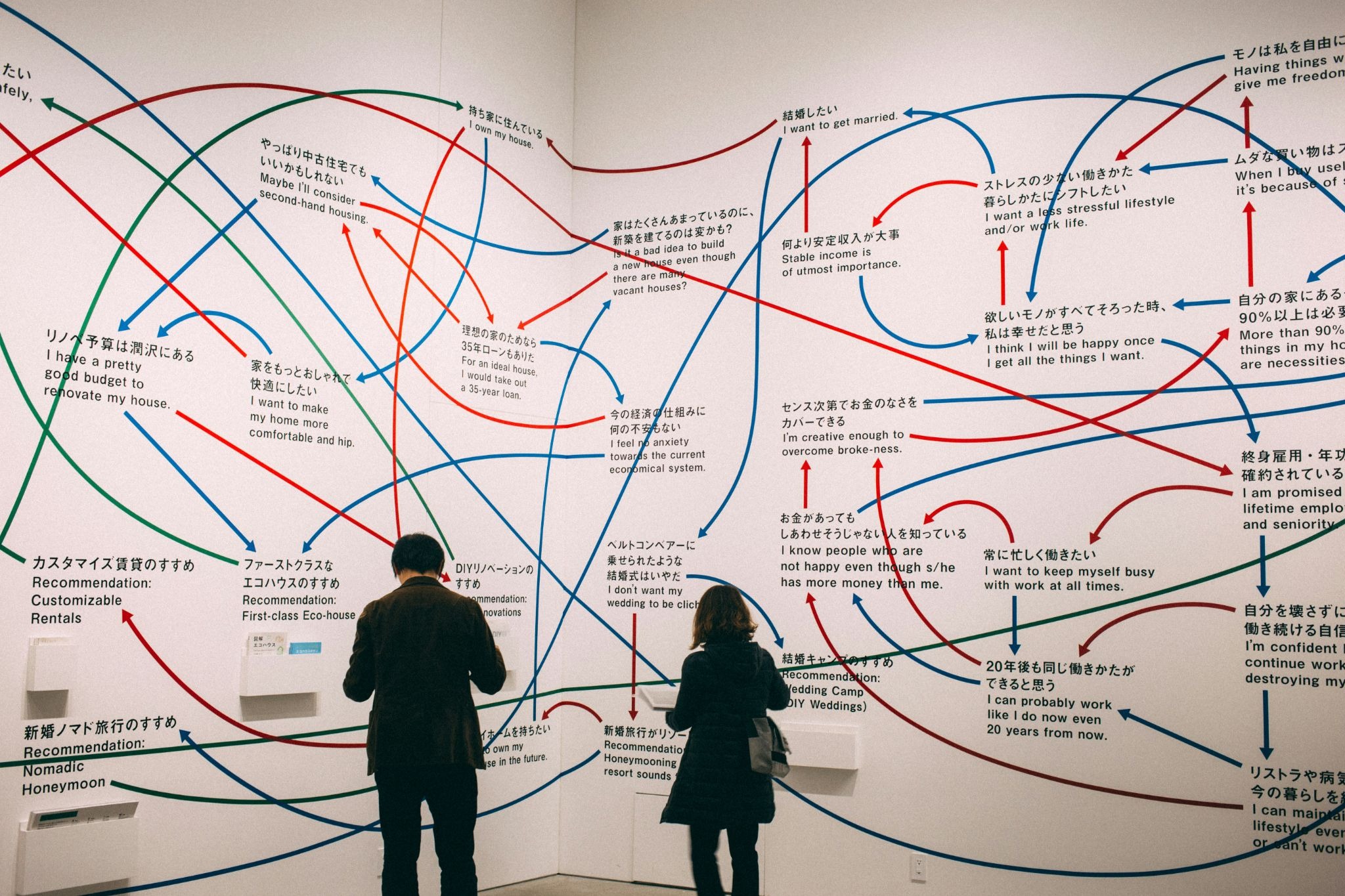
The Psychology of Visual Thinking: Why Our Brains Love Mind Maps
Our brains process visual information differently
Think about the last time you had to read a long document full of information. You probably had to go back and forth between sections to understand how everything connected. Now imagine seeing the same information organised in a simple diagram, with different topics connected by lines and grouped into categories. It becomes much easier to see the bigger picture.
There's a psychological explanation for this. It's called the Picture Superiority Effect. Research has found that people often remember pictures better than words alone. Visual information can make ideas easier to recognise and recall, especially when the images and concepts are meaningful and relevant.
For HR teams, this can be particularly useful. Instead of reading through several pages about a new employee onboarding process, a mind map can show all the main steps in one place: recruitment, documentation, training, introductions and follow-ups. Team members can see how each stage connects without having to search through different documents.
What is the best tool for mind mapping?
There are plenty of mind mapping tools available online, but choosing the right one depends on what you want to achieve. Some are designed specifically to organise ideas and create mind maps, while others offer additional features for team collaboration, project planning and visual presentations.
If you're working in HR or Operations, you might want a tool that allows several people to contribute ideas, organise projects, create workflows or simply make brainstorming sessions more productive.
Here are 5 mind mapping tools worth exploring.
-
Miro - Best For Team Brainstorming And Collaboration

If your team regularly organises brainstorming sessions, workshops or planning meetings, Miro is a great place to start. It's an online collaboration platform with a large visual workspace where you can create mind maps, flowcharts, diagrams and project plans.
You can start with a blank board or choose one of its ready-made templates. Add ideas using digital sticky notes, connect them with lines, group similar topics and invite colleagues to contribute in real time.
For HR teams, Miro can be particularly useful when planning recruitment campaigns, mapping the employee experience or discussing ways to improve internal communication. For example, you could create a mind map around employee retention and ask different departments to add their ideas, challenges and possible solutions.
Is Miro free?
Yes! Miro has a free plan that includes three editable boards, templates and basic collaboration features. If you need unlimited boards, private workspaces and more advanced tools, you'll need a paid subscription.
Why use it? It's a good choice for teams that want to brainstorm together, share ideas visually and turn discussions into organised plans.
-
Canva - Best For Visual And Creative Mind Maps

You probably already know Canva for its presentations, social media graphics and marketing materials. But it can also be used to create mind maps and organise ideas.
Canva Whiteboards offers an open workspace where you can add shapes, lines, sticky notes, text and other visual elements. You can start with a mind map template, customize it with your own colours and fonts, and build connections between different ideas.
This makes Canva particularly useful when you want to create mind maps that are not only easy to understand but also visually appealing. For example, an HR team could use it to map out an employee onboarding journey, organise a training programme or prepare a visual presentation of a new company policy.
Another advantage is that you can work on the same whiteboard with other team members in real time, making it easier to collect suggestions and develop ideas together.
Is Canva free?
Yes! Canva Whiteboards are available for free, with plenty of tools for creating and sharing mind maps. Canva also offers paid plans, such as Canva Pro, which unlock additional design features, templates and resources.
Why use it? It's ideal for people who enjoy visual organisation and want to create attractive mind maps that can also be used in presentations, workshops or internal documents.
-
Mind Meister - Best For Dedicated Mind Mapping

Unlike broader platforms such as Miro and Canva, MindMeister is specifically designed for mind mapping. Its main purpose is to help you organise thoughts, connect ideas and turn complex topics into clear visual structures.
You can start with one central idea and create branches for different topics, adding smaller subtopics as you go. You can also customise your maps with colours, icons and notes to make different sections easier to recognise.
MindMeister also supports real-time collaboration, so team members can contribute to the same mind map. It even integrates with MeisterTask, allowing you to turn ideas into tasks and connect brainstorming with project management.
For HR professionals, this could be useful when developing a recruitment strategy, planning employee training or mapping out the steps involved in a new performance review process.
Is MindMeister free?
Yes, but with some limitations. Its free plan allows you to create up to three mind maps and includes templates, unlimited collaborators and presentation features. If you need more maps or additional features, you can upgrade to one of its paid plans.
Why use it? It's a good option if mind mapping is something you do regularly and you want a tool built specifically for organising and connecting ideas.
4. MindMup – Best For Simple And Straightforward Mind Maps

Sometimes, you don't need dozens of features to organise your thoughts. You simply need a space where you can write down ideas, connect them and see how everything fits together. That's exactly what MindMup offers.
MindMup is a lightweight mind mapping tool that focuses on simplicity. You can create a mind map directly in your browser, add branches, connect different topics and customize the layout without spending too much time learning how the platform works.
It also offers different types of diagrams, including organisational charts and fishbone diagrams. This can be useful for Operations teams trying to understand why a particular process isn't working or HR teams looking at the causes of high employee turnover.
Another useful feature is the ability to export your maps into different formats, such as PDF and PowerPoint, depending on your subscription.
Is MindMup free?
Yes! Its free Starter plan allows you to create up to three mind maps, add notes and annotations, and share or publish your work. Paid plans offer unlimited maps, additional storage and more advanced sharing options. The Personal plan starts at $6 per month when billed annually, while Team starts at $9 per month.
Why use it? It's a good choice if you want a simple, easy-to-use mind mapping tool without too many distractions or complicated features.
5. Whimsical – Best for organising ideas and processes

Whimsical is another great option for teams that want to organise their ideas visually. It combines mind maps, flowcharts, diagrams and wireframes in one platform, making it useful for both brainstorming and planning more structured projects.
One of its biggest advantages is how easy it is to use. You can create a mind map, add new branches, connect related ideas and rearrange everything as your project develops. It also offers ready-made templates and real-time collaboration, so colleagues can contribute without having to send documents back and forth.
Whimsical also has AI-powered mind mapping features. You can enter a question or topic, and the tool can suggest ideas and create new branches to help you get started. For example, an HR manager could ask for ideas to improve employee engagement and use the generated suggestions as a starting point for a team brainstorming session.
It's also useful for Operations teams that need to visualise workflows, identify missing steps or explain how different processes connect.
Is Whimsical free?
Yes! The free plan includes unlimited boards, but limits you to 50 board objects per month and includes a watermark on exports. If you need unlimited objects, longer version history and additional features, you can upgrade to a paid plan. The Pro plan starts at $10 per editor per month with annual billing.
Why use it? It's a good option for teams that want to combine mind mapping with process visualisation, project planning and AI-assisted brainstorming.
Can ChatGPT do Mind Maps?
Yes! ChatGPT can help you create mind maps, even if you don't have a dedicated mind mapping tool. While it doesn't replace platforms such as Miro or MindMeister, it's a useful assistant when you need to organise your thoughts, explore new ideas or get started with a brainstorming session.
Which mind mapping tool do you use to organise ideas and brainstorm with your team? Have you tried any of the tools we've mentioned? Share your experience in the comments!